
Run a fleet of coding agents. Ship from anywhere.
Orbit is a desktop IDE for Claude Code and Codex, with a real editor and terminal built in. Every task gets its own worktree, branch, and agent, so ten things can move at once without stepping on each other.

- Debug a stack trace
- A model per task
- Ship panel on request
- Model per workspace
- Careful diffs
- Command palette
- Apply all low-risk
- Mark reviewed
- Best of N
- Live transcripts
- Review your agent's work
- Keyboard triage
- Settings that save instantly
- Edit across repos
- Set up voice
- Slash autocomplete
- Sessions survive restarts
- Per-turn cost
- Overlap detection
- A starter team
- Colour means something
- Workspace context
- Jump by number
- Auto-address review comments
- Issues from Linear and Slack
- Live streaming
- Watch an agent
- Shared MCP servers
- Read-only means read-only
- Hands-free mode
- Orchestrator
- Tool calls, folded
- Live agent plan
- Live preview
- Check out and merge
- Push when a turn finishes
- AI review after Ship
- Stale branches surface
- Skills per workspace
- Unread markers
- Hand-off brief
- Fix CI
- Draft PRs only
- Integrated terminal
- Project search
- Remembers what you've seen
- Send and stop
- Clean up merged work
- A check command per repo
- Schedule from the composer
- Always attach
- A live PR card
- Review GitHub pull requests
- Only what needs you
- Images and files in chat
- Dictation
- Reply without leaving
- Linear issues
- Chief plans the work
- Since your last review
- Tidy after merge
- Workspaces dashboard
- Steer mid-turn
- Slack mentions
- Archive and restore
- Time travel
- Goal mode
- Switch roles mid-session
- Ollama or any OpenAI-compatible server
- Related projects, found for you
- Auto-sync
- Write a ticket
- Tests are off limits
- Task templates and a backlog
- Address comments, rebase, push
- Snooze
- Run now, and history
- Interrupt any time
- Stacked PRs
- Scheduled messages
- A real editor
- Issues become branches
- Compact or start fresh
- shipkit, built in
- Open in your editor
- Images, Markdown and SVG
- Git gutter and diffs
- Voice tidy-up
- Pair with a QR code
- End-to-end encrypted
- Parts that wait
- Summaries
- Falls back at a plan limit
- A read-only find pass
- Hand-offs
- Diagnostics
- Build this plan
- Fleet board
- Suggested replies
- Submit your review
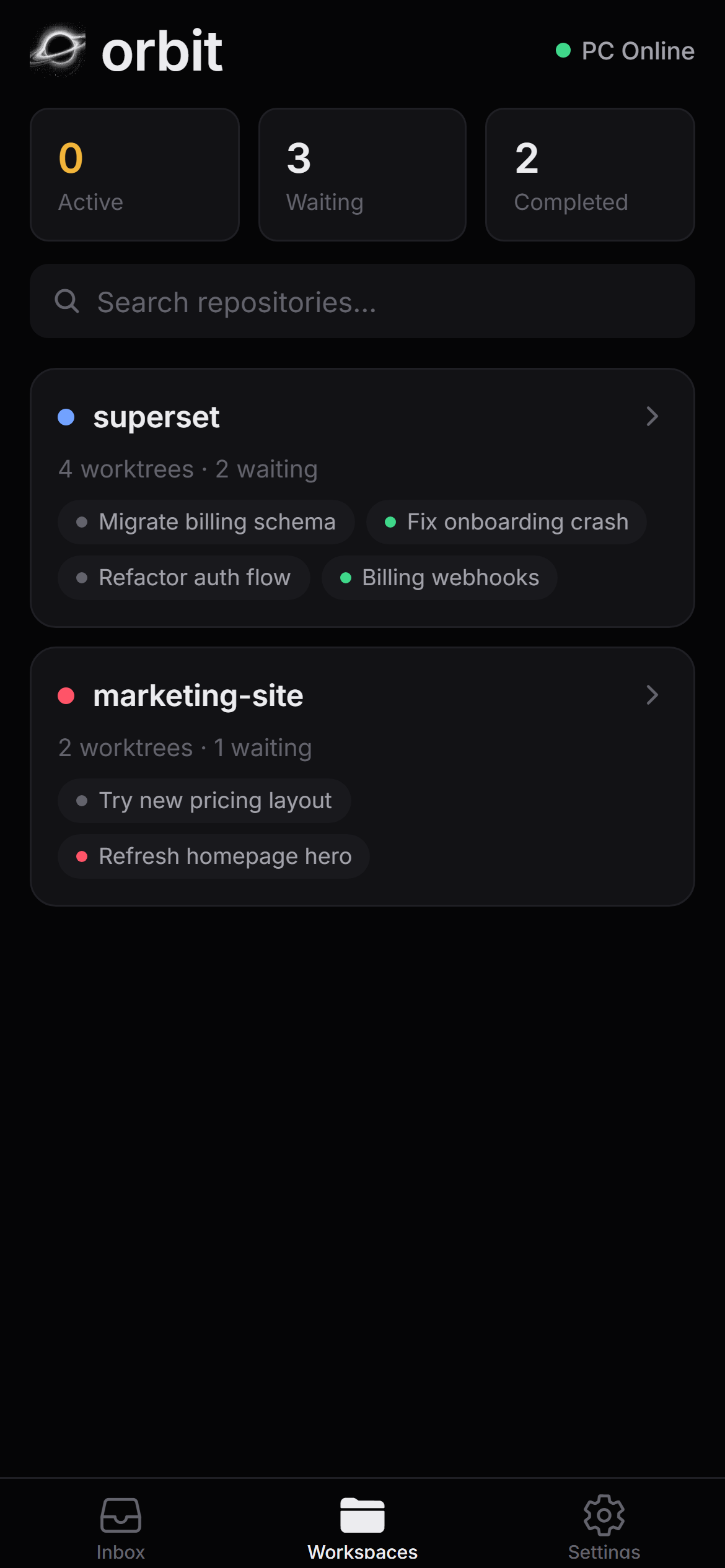
- Inbox on the go
- Attach folders
- Preflight
- Checks before Ship
- Open in Code
- Names from your first prompt
- Search every transcript
- Templates
- Teammate memory
- Agents on local models
- Open in Code
- One worktree per task
- Optional roles
- Start in one keystroke
- Fresh or standing
- Ship
- Model lists from the CLIs
- Squashed before Ship
- Context meter
- Ready and merge
- Issues panel
- Worktree setup
- Usage report
- Pinned skills
- Remote workspaces
- Checks after every turn
- You stay in control
- A sidebar that tells you everything
- Plan limits
- Claude Code and Codex
- Void and Paper
- Manual mode
- Rewind or branch
- Hand off a task in chat
- Quiet when there's nothing to do
- Desktop notifications
- Diff comments
- Ask about selection
- Images from the agent
- Agent safety controls
- Pair mode
- Suggested notes
- Use local for everything
- Open any folder
- Commit messages from a model
- Applied one at a time
- Collapsible sidebar
- VS Code keybindings
- Watch mode
- Shared notes
- Approvals inbox
- Weekly simplify
- Run as many as you like
- Your merge rules
- Editor settings
- Avatars and status
- Teammates own routines
- Share a run
- Focus mode
- Live typing
- Test-first gate
- Release helper
- Catches up
- One review queue
- Falls back gracefully
- Make your own
- The All tab
- Conflict forecast
- Natural read-aloud
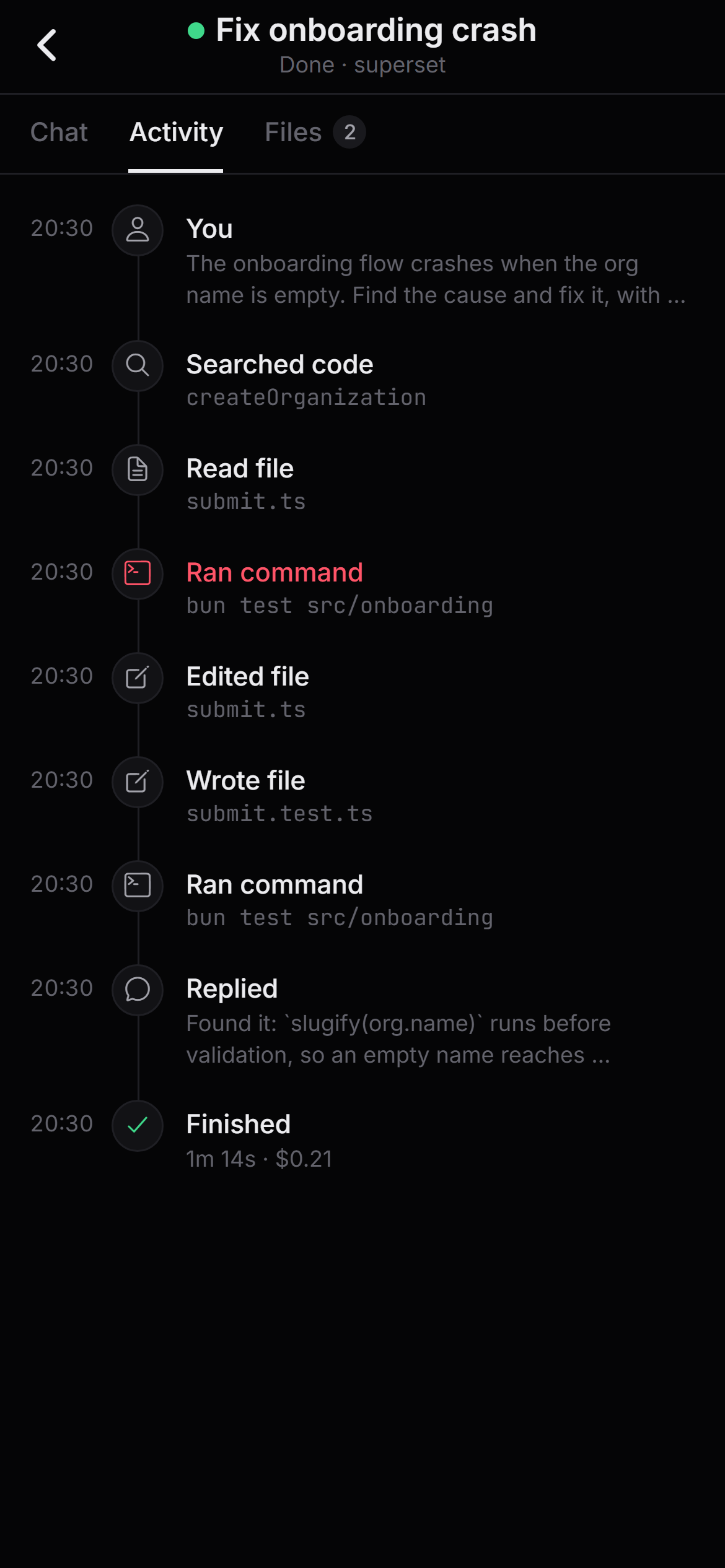
- Activity timeline
- Six profiles
- Your Claude plugins work
- Save points
- Install packs from git
One window for the whole fleet. Start it, steer it, ship it.
-
Start a workspace and Orbit cuts a fresh branch and worktree for it. Claude Code and Codex run side by side in their own checkouts, with live diff stats in the sidebar. Remote workspaces on an SSH host or in Docker are coming soon.
Ctrl N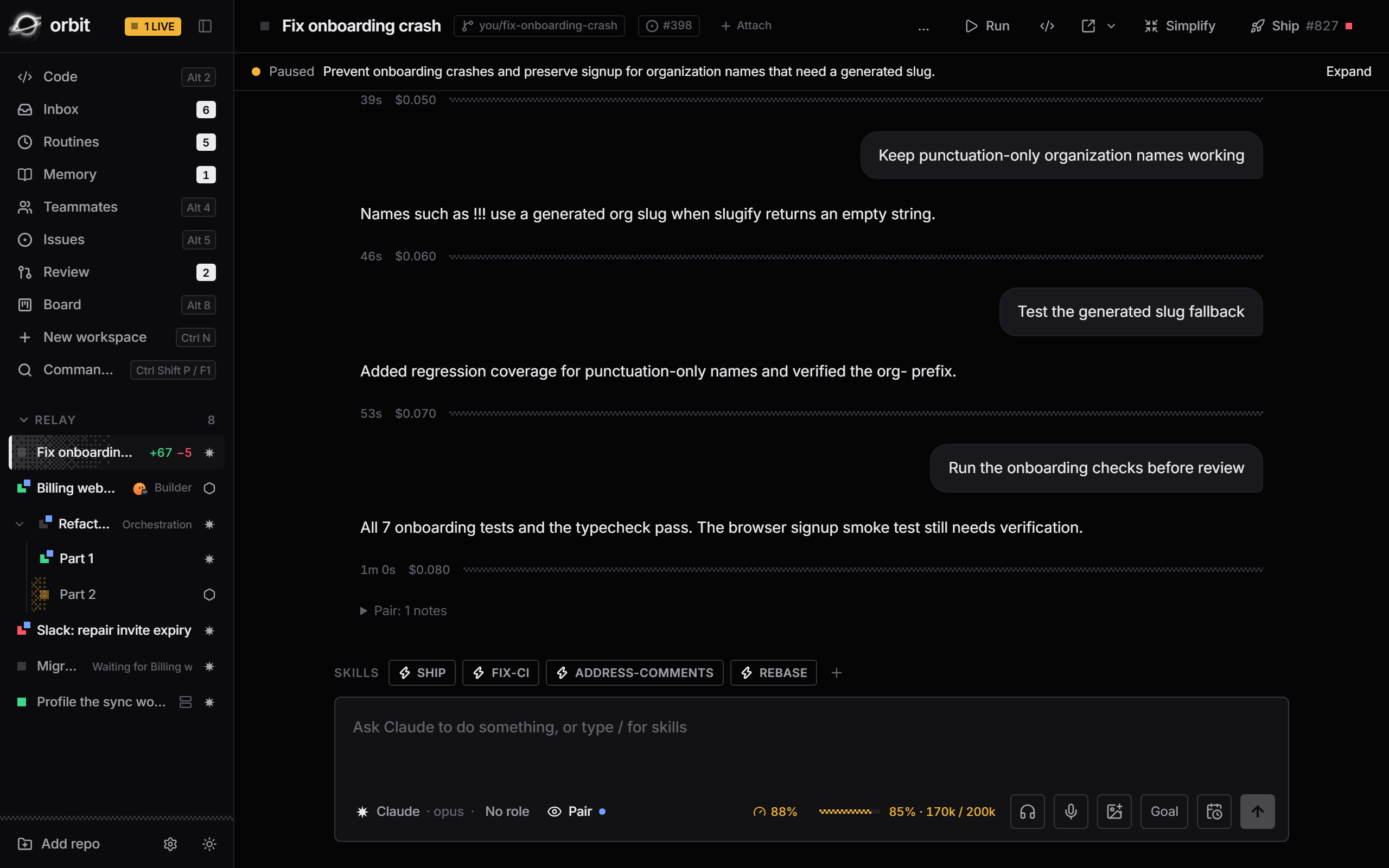
-
A fleet board shows every workspace at once, with bulk actions on several of them. A conflict forecast proposes a merge order, and a workspace can wait to start until another one lands.
Alt 8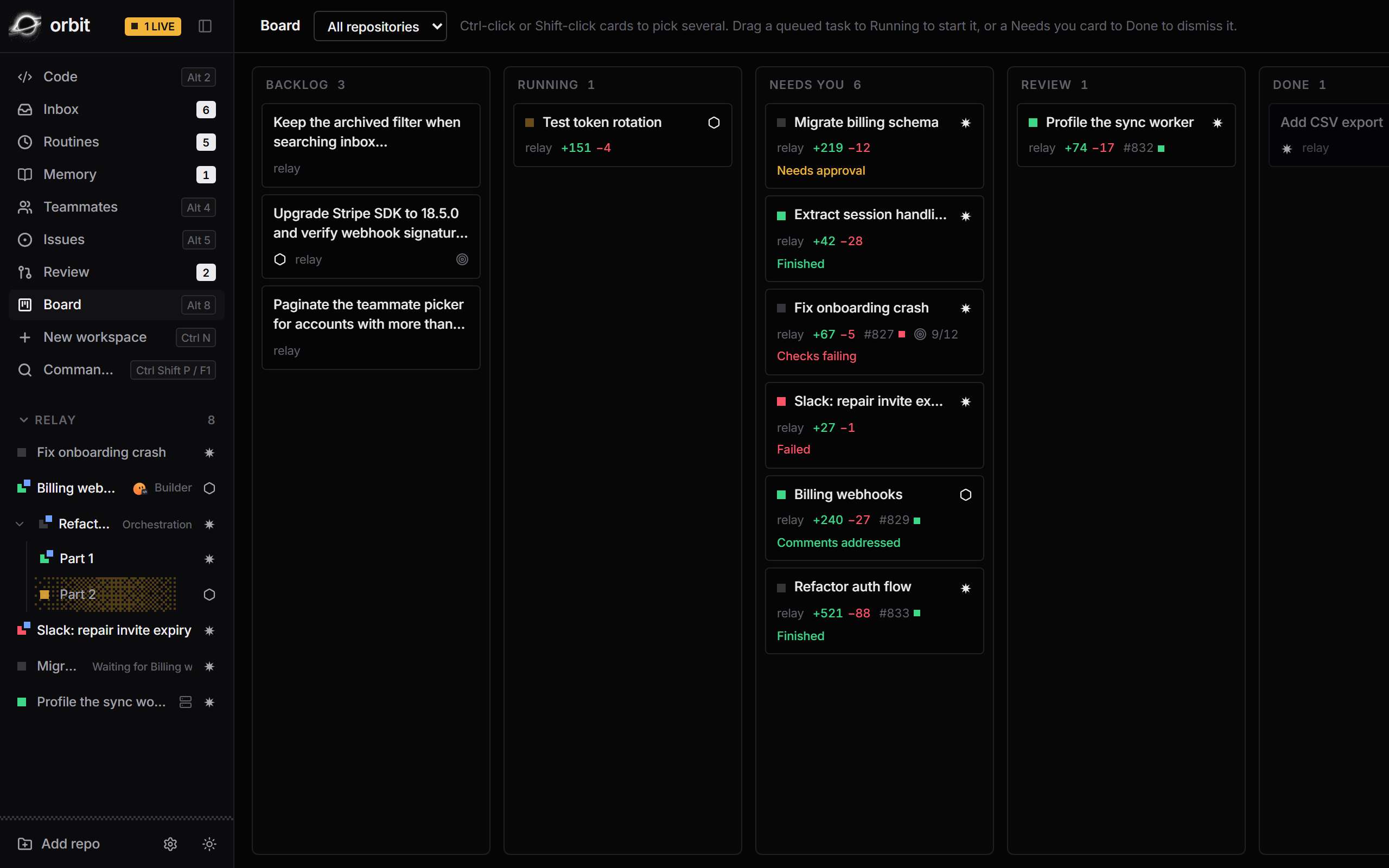
-
The inbox collects every agent that asked a question, failed, or finished, plus any pull request with red checks. Suggested replies are one keystroke away. Approvals for risky agent actions are coming soon.
Alt 1JKES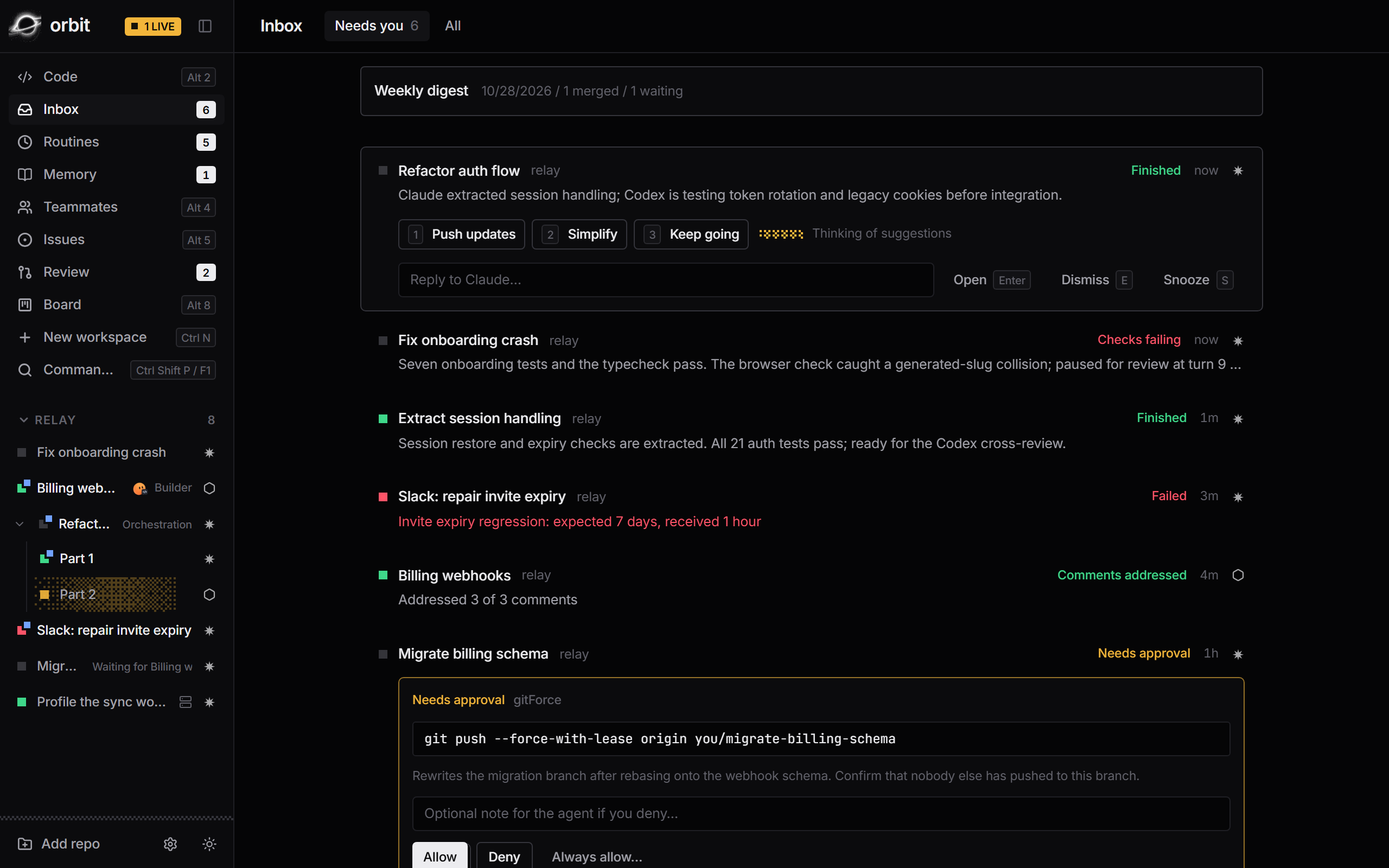
-
Goal mode keeps an agent going until its acceptance checks pass, within a budget, and stops when it is stuck. The orchestrator splits one prompt into parts on Claude and Codex in parallel, cross-reviewed and merged into a lead workspace.
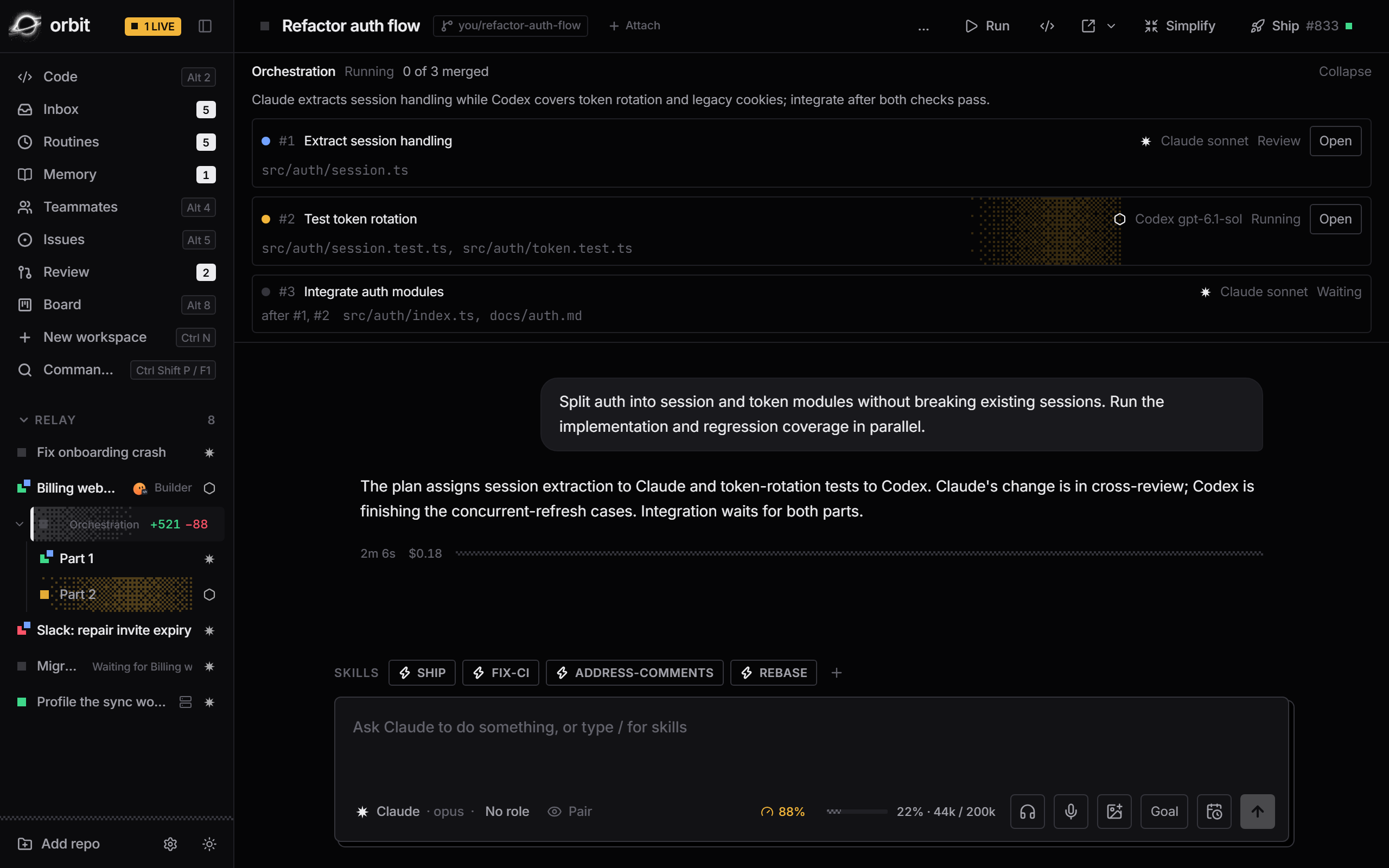
-
Open Code view on any workspace and the editor follows the agent, flashing each edit, with an Activity timeline for every turn. Review (Preview) puts your agents' changes and your team's pull requests in one queue. Turn-by-turn time travel is coming soon.
Alt 2Alt 6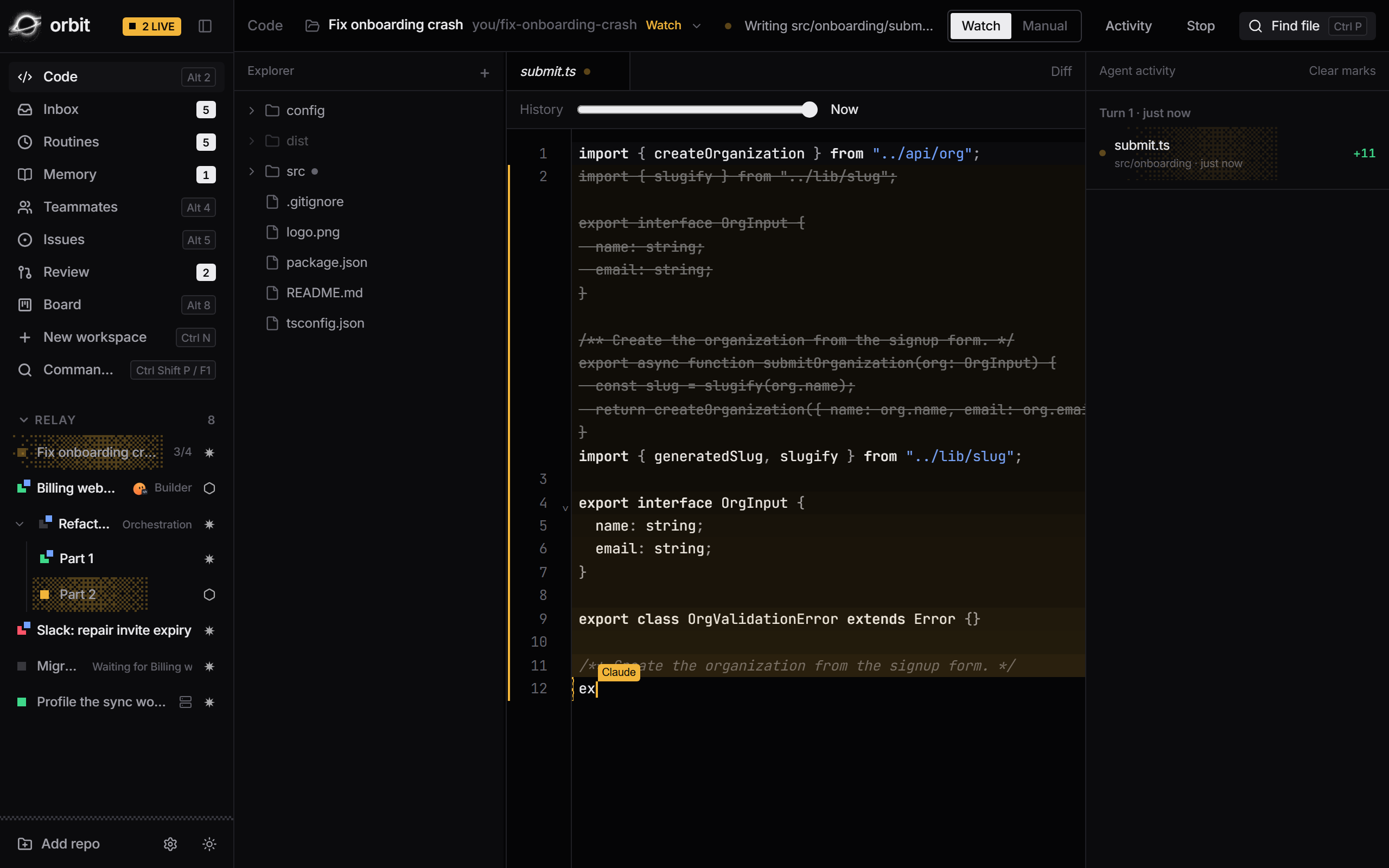
-
Ship shows the draft PR, check status, review state, and every changed file. Fix CI and Address comments hand the failure straight back to the agent. Auto-addressed review comments, stacked PRs and a release helper are coming soon.
Ctrl Shift G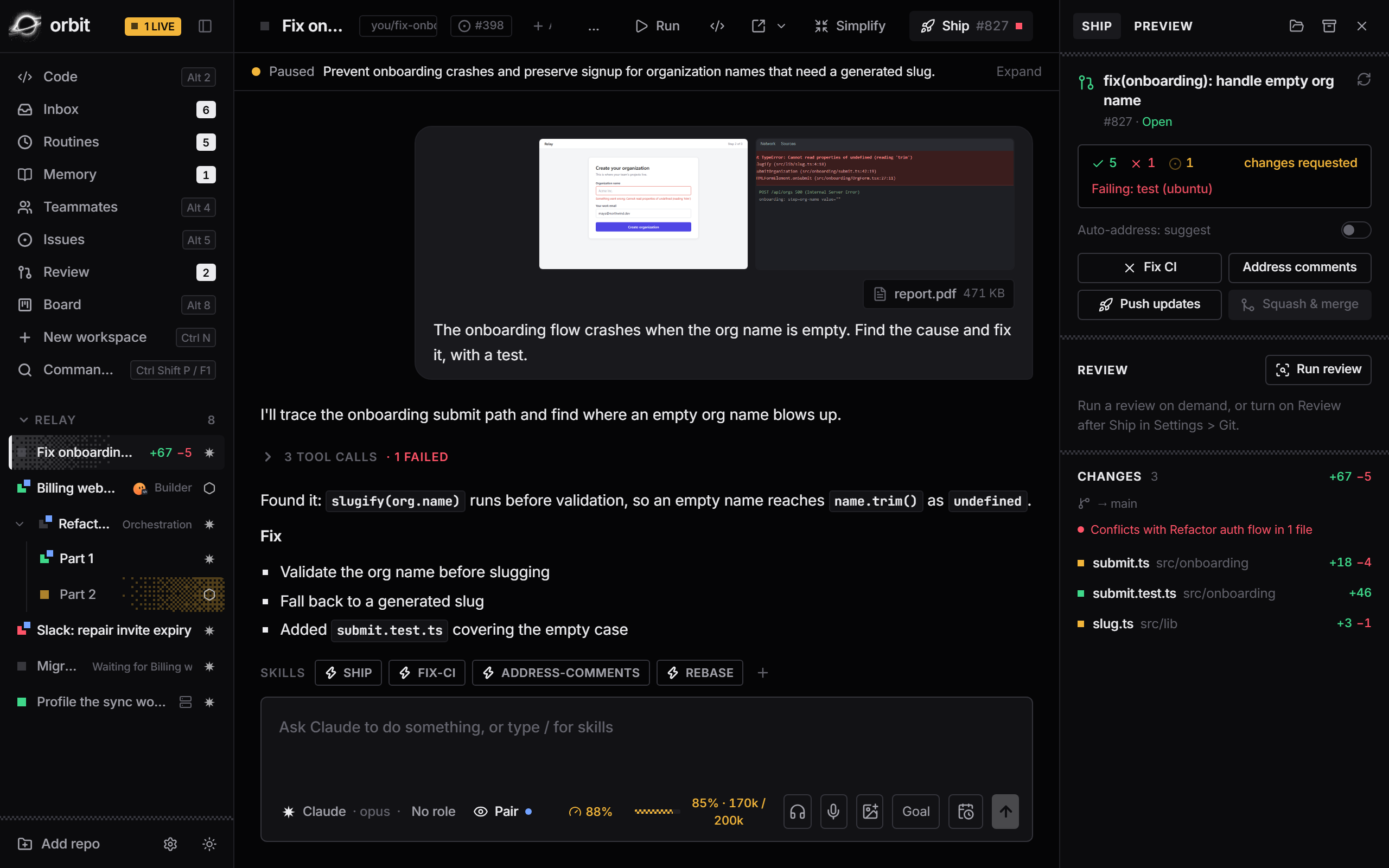
-
Routines send a message on a schedule, and Simplify tidies code one checked refactor at a time. Teammates take hand-offs and report back. Memory notes every agent reads, and a hand-off brief when a session restarts, are coming soon.
Alt 3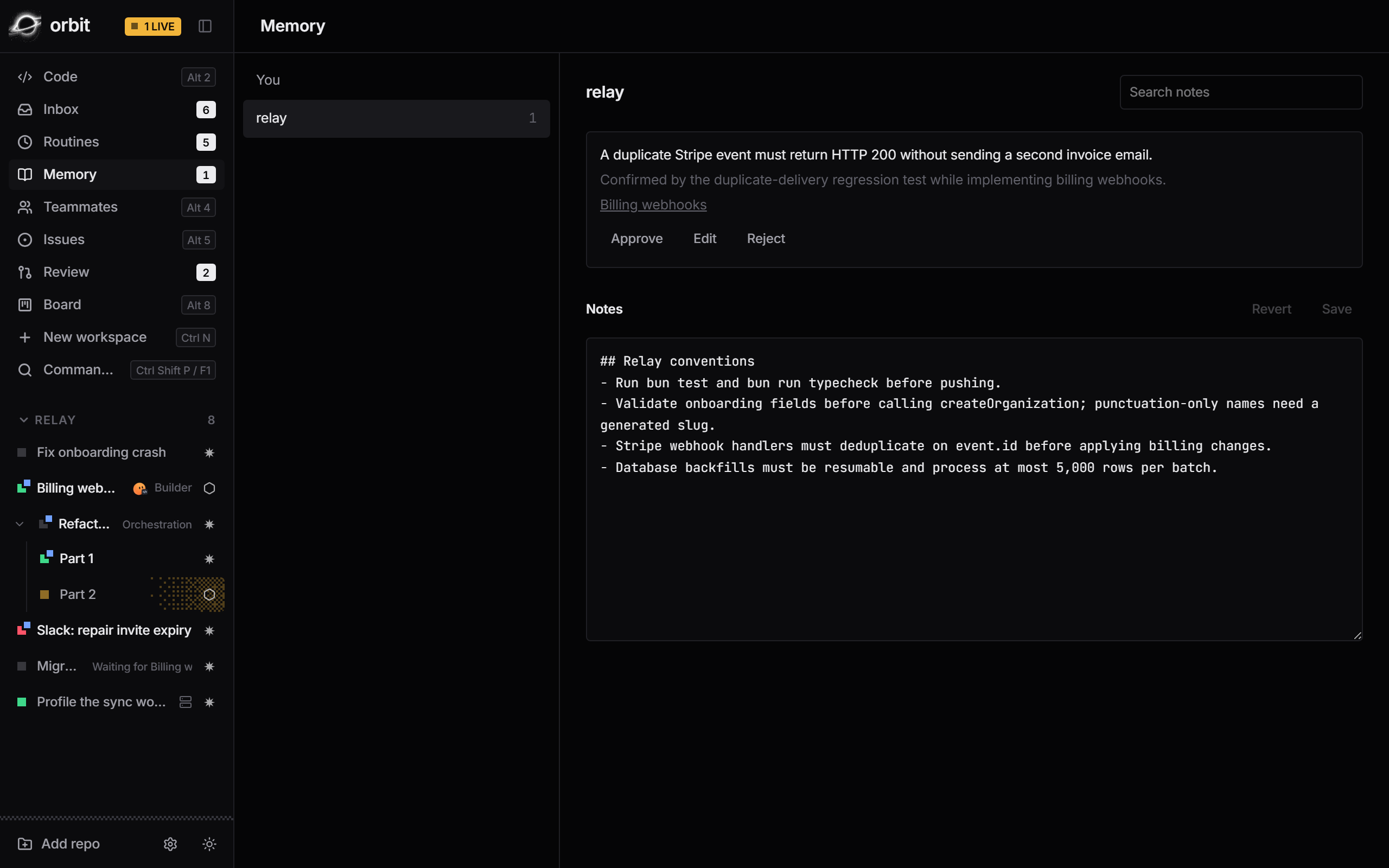
Review every change. Before it ships.
One queue for what your agents changed and the pull requests waiting on you. Read each change file by file, comment on any line, then send it back to the agent or submit it to GitHub, without opening a browser.
- YOUR AGENTS' WORK
Review a workspace before it becomes a pull request. Comment on any line, even a deleted one, and the agent gets every note as one message.
- GITHUB PULL REQUESTS
Comment on either side, suggest changes, reply, resolve and approve. Your pending review is saved on GitHub as you write it.
- CAREFUL DIFFS
Unified or split, whitespace hidden, only what changed since your last review, and images side by side.
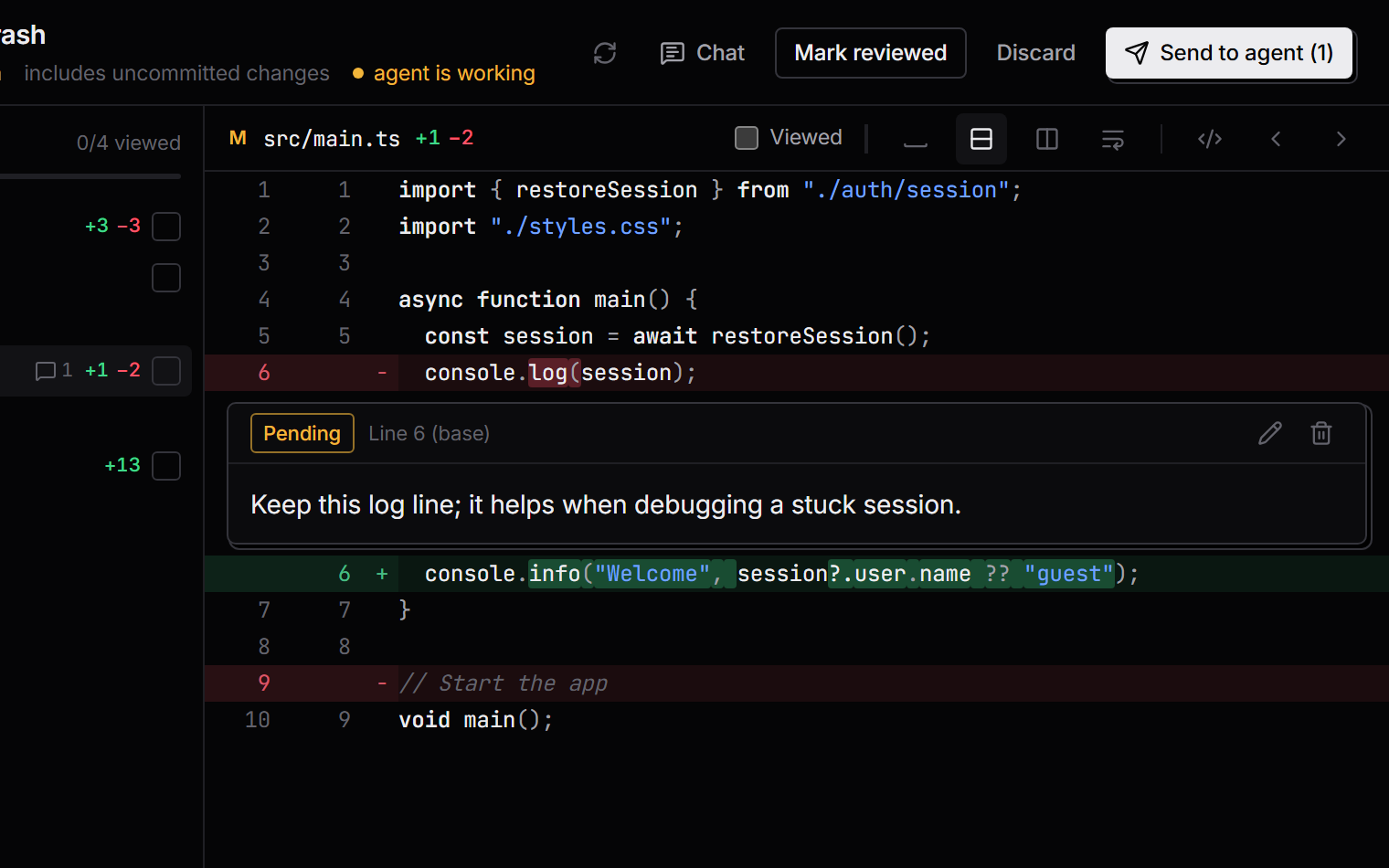
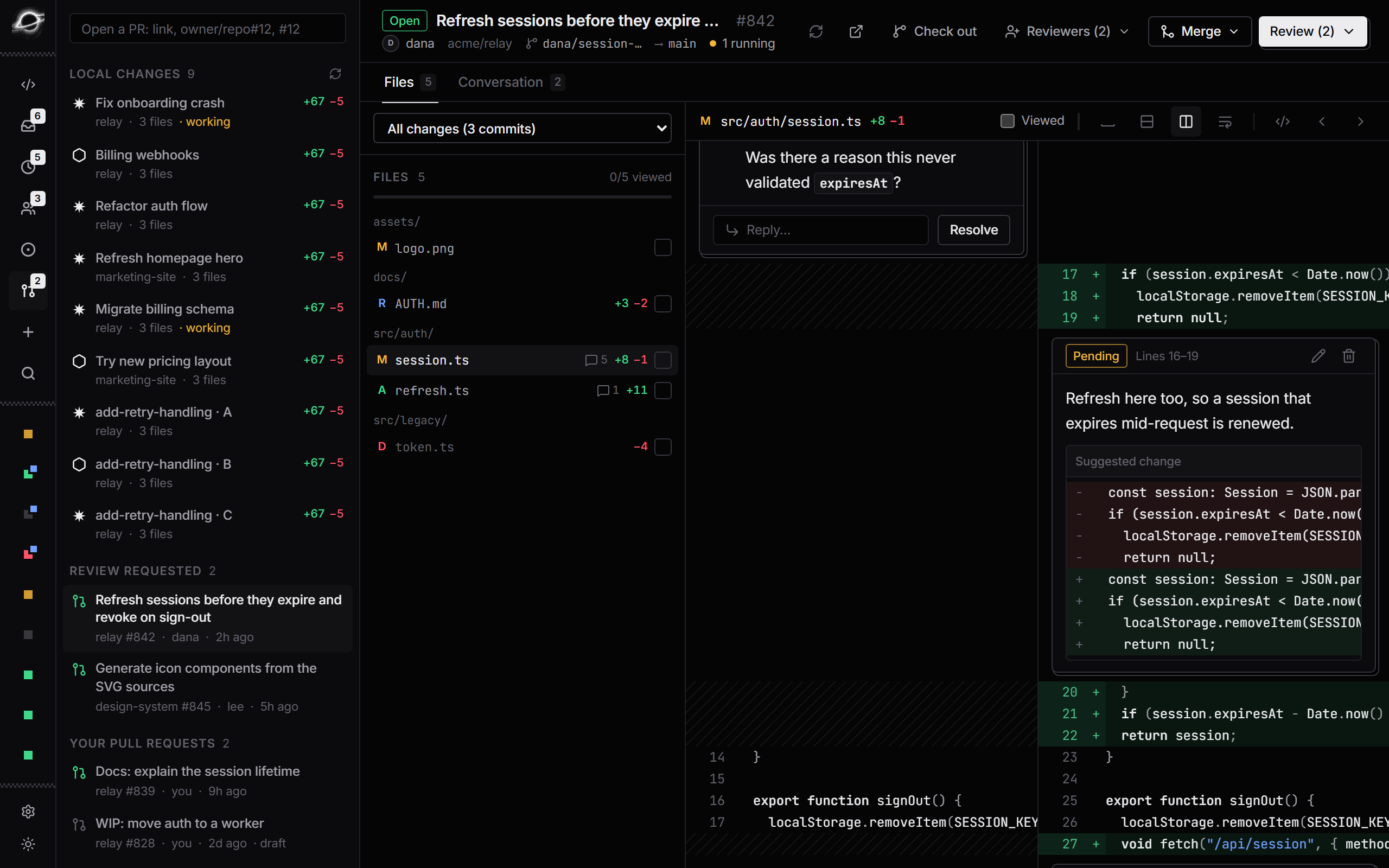
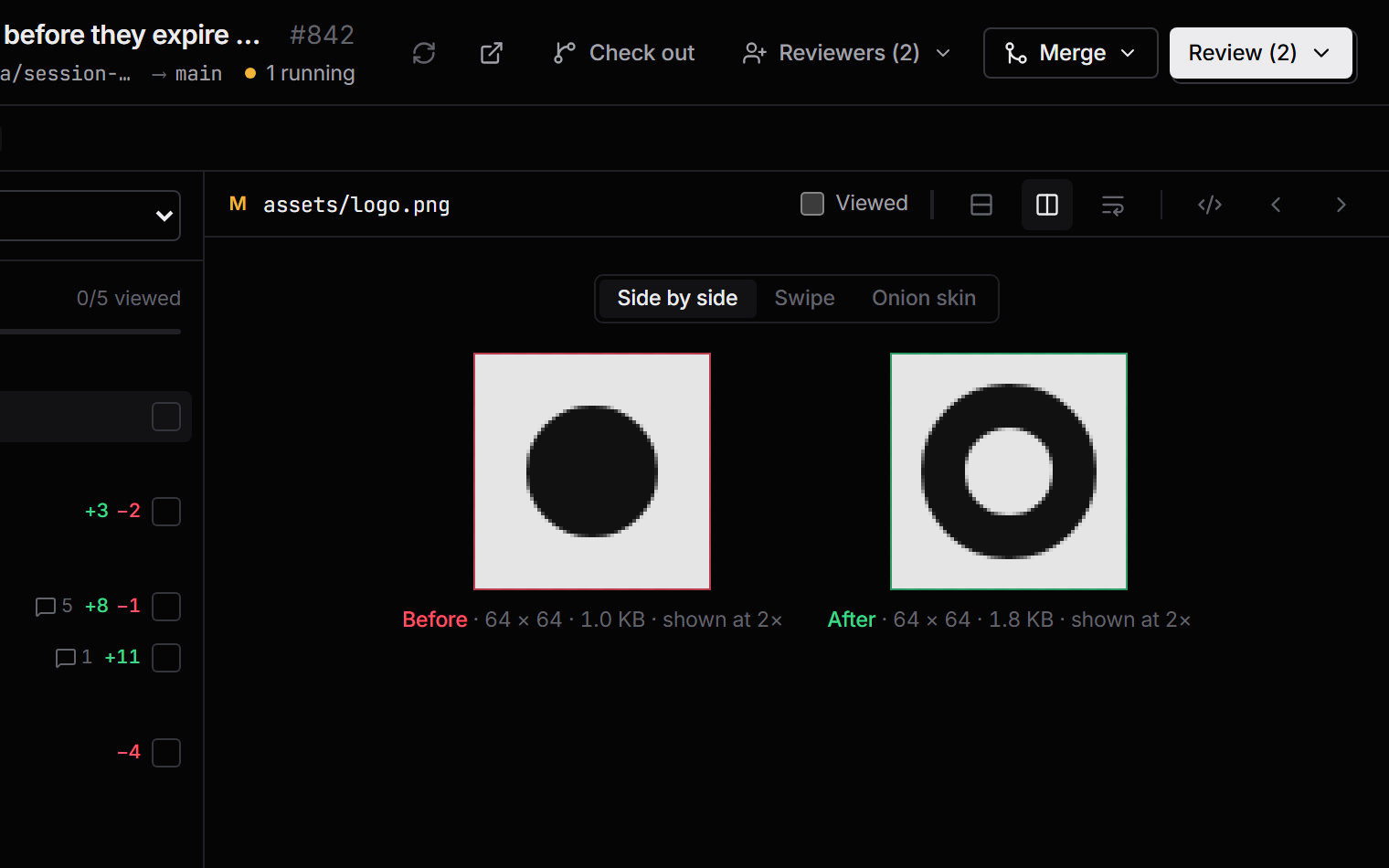
Alt 6 opens it. [ ] move between files, V marks one viewed, O opens it in the Code view at the line you're reading.
A full IDE, built in. Terminal included.
Open any repo or worktree in an editor with VS Code keybindings, a file explorer, project search and integrated terminals. Watch the agent edit in real time, then take over without switching apps.
- WATCH MODE
The editor follows the agent from file to file and flashes every edit as it lands.
- TERMINAL
Real shells in tabs, opened in the workspace's worktree.
- SEARCH AND DIFFS
Project search, a git gutter, and a diff for every agent turn.
Talk to your agents. Hear them reply.
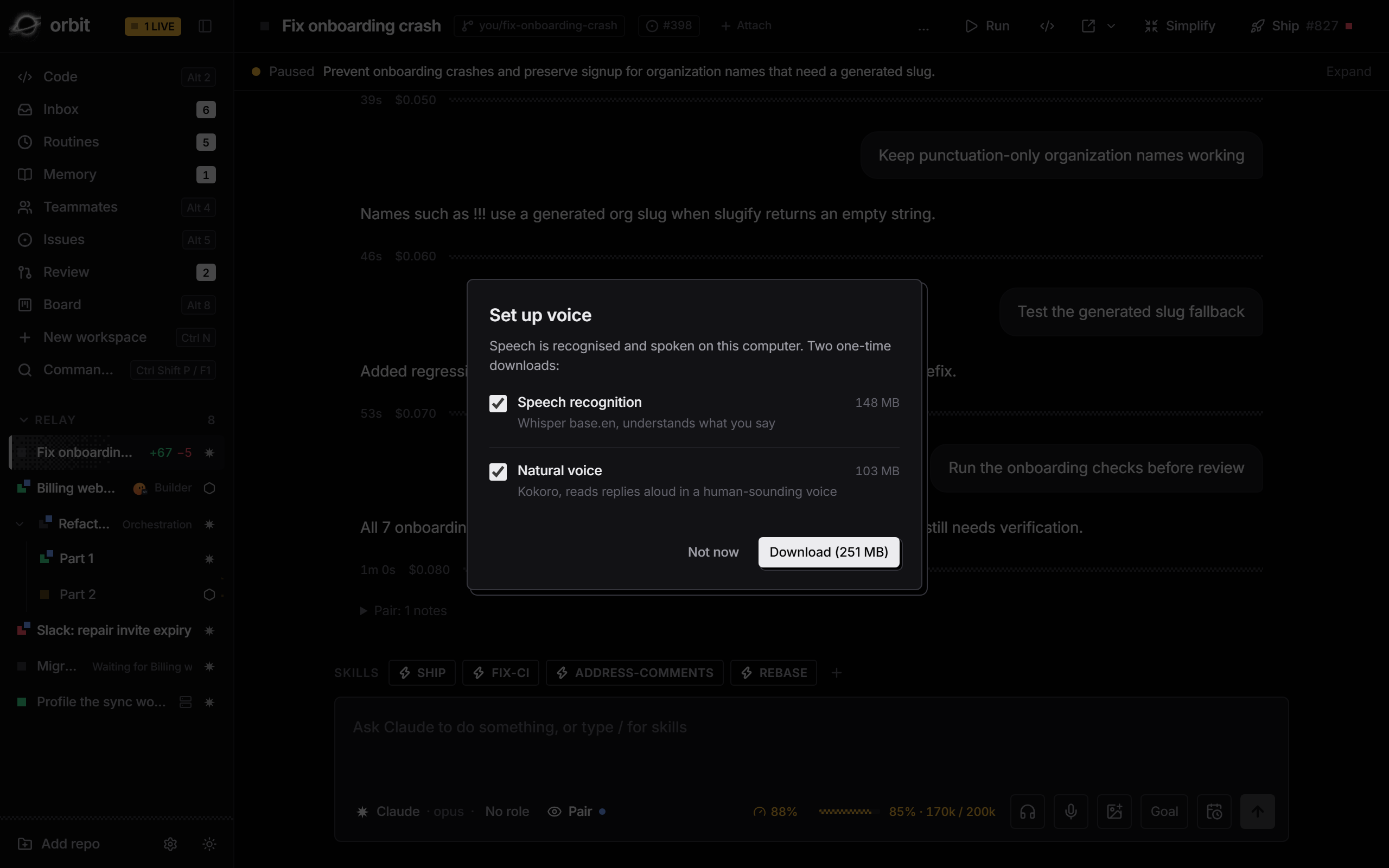
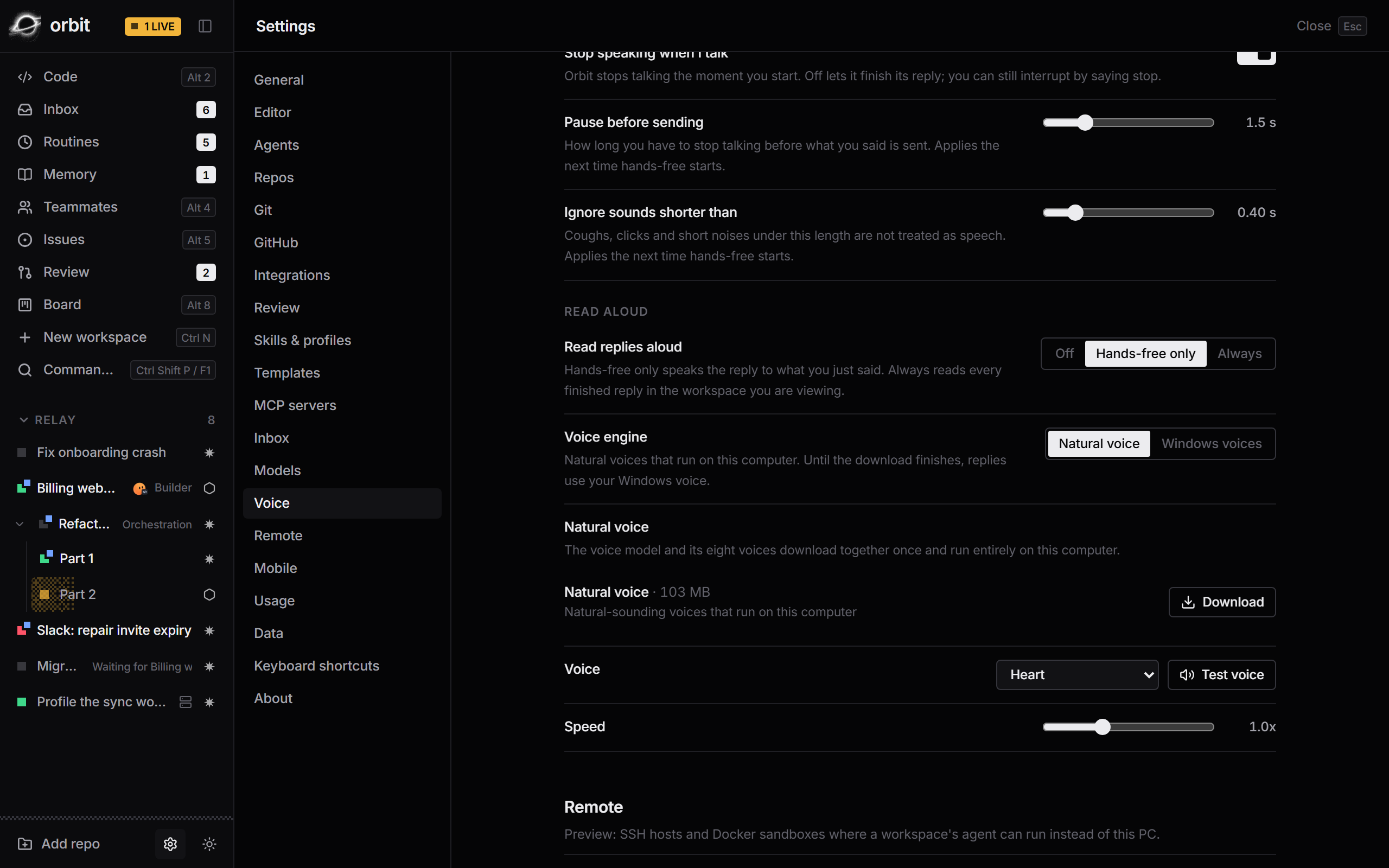
Dictate a prompt or go hands-free. Whisper recognises your speech and Kokoro reads replies aloud, all on your own computer.
- DICTATION · PREVIEW
Click the mic or hold Ctrl Shift Space. Your words land at the chat cursor.
- HANDS-FREE · PREVIEW
Talk, pause, and it sends. Hear replies while the agent writes. Talk over it or say “stop” to interrupt.
- READ-ALOUD · PREVIEW
Choose from eight natural Kokoro voices, with Windows voices as a fallback. The one-time Set up voice dialog downloads recognition and speech together.
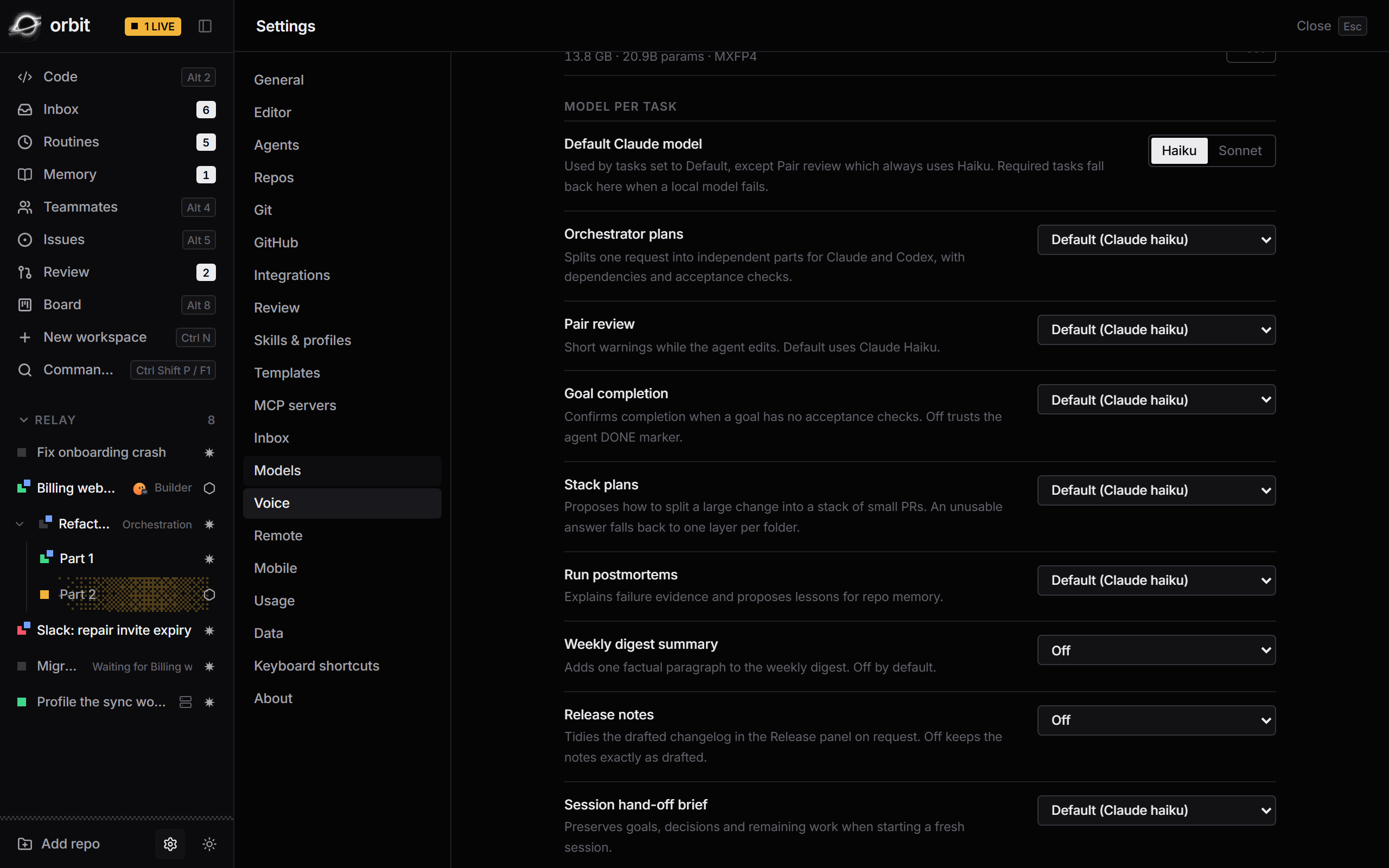
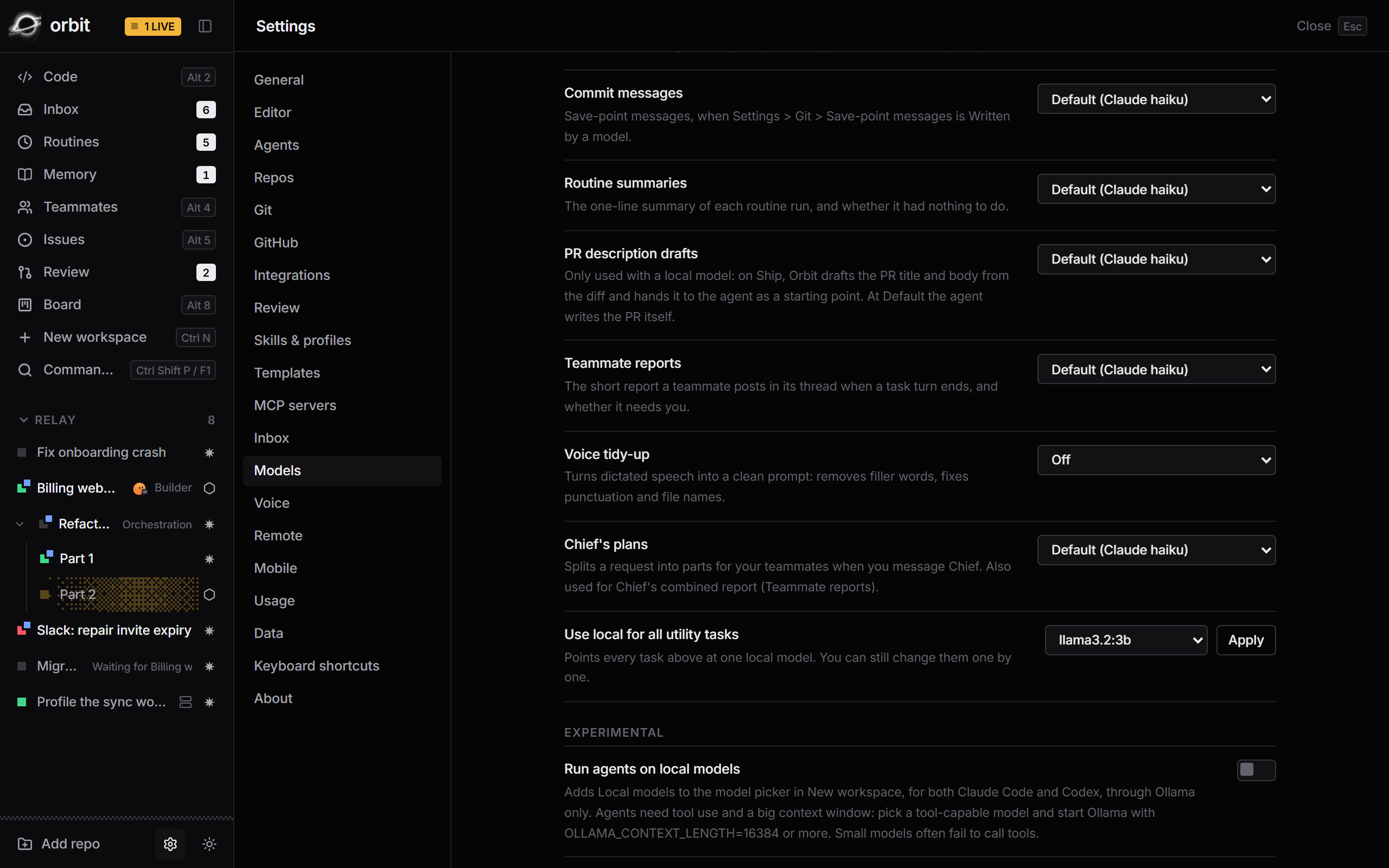
Voice tidy-up (Preview) is optional in Settings > Models > Voice tidy-up. Audio stays on your computer; tidy-up sends only transcript text to the model you choose.
Most tools help agents write code.
Orbit gets it shipped.
Ten terminal tabs, and ten branches to keep in your head.
Ten workspaces in one sidebar, each in its own worktree, with live status and diff stats.
You check every tab to find the one that's stuck.
The inbox lists only what needs you, with a suggested reply one keystroke away.
The agent stops at a diff. The PR, the CI and the merge are on you.
Ship opens the PR, Fix CI chases red checks, and merge waits for green.
Branches drift, collide and pile up.
Save points, auto-sync onto main, overlap warnings, and cleanup after merge.
The diff lands in a chat bubble, and you open another editor to read it.
Watch the diff land in a real editor as the agent writes, with a timeline of every turn.
“Please don't edit anything,” written in the prompt.
Read-only roles, blocked at the tool layer.
Work stalls the moment you walk away.
Answer, steer or stop any agent from your phone, end-to-end encrypted. The iPhone app is in development.
Another app, with its own account, its own model and its own bill.
Your own Claude Code and Codex, on your machine and your accounts.
Leave the desk. Keep the fleet moving.
Pair your iPhone by scanning a QR code in Orbit. Read transcripts, review diffs, answer questions, and stop a runaway turn, over your local network.
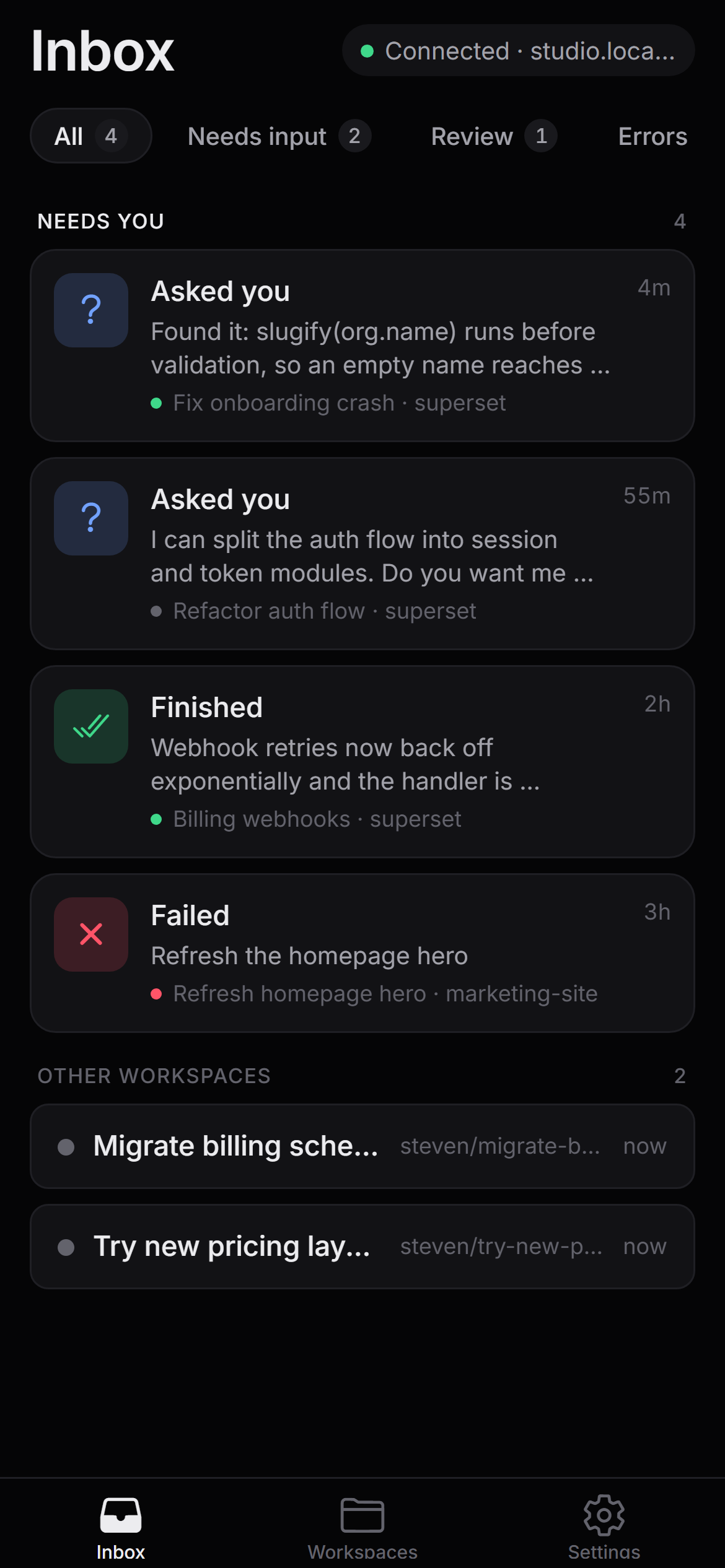
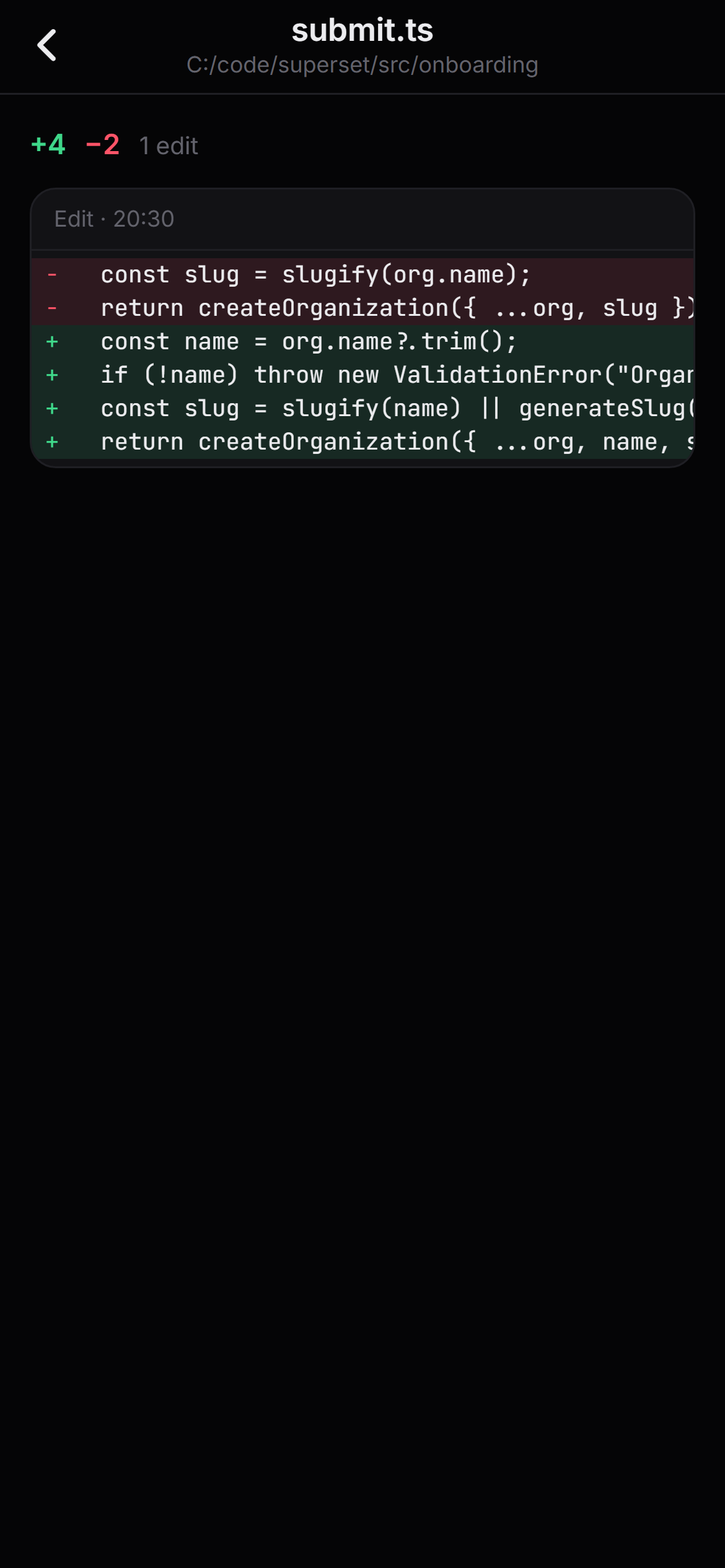
- ENCRYPTED
End-to-end encrypted after the pairing handshake.
- LIVE
Transcripts stream as the agent works.
- IN CONTROL
Send a message or stop a turn from your phone.
149 features, already built.
Here's where they live.
- 0113 Workspaces Every task gets its own worktree, branch, and agent.
- 02Soon Fleet See every workspace at once, and keep them from colliding.
- 038 Attention inbox One list of everything that is waiting on you.
- 04Soon Approvals and intake Say yes to the risky part, and start work from where it begins.
- 0517 Agents and chat Claude Code and Codex, driven natively, in one transcript.
- 0614 Code view An editor that watches the agent work.
- 0710 Review Your agents' changes and your pull requests, in one queue.
- 08Soon Goals and orchestration Set the outcome, and let the agents work to it.
- 09Soon Memory Agents that remember how your team works.
- 1011 Profiles and skills Give each agent a job, and the tools for it.
- 1110 Teammates Hand work to a teammate, get a report back.
- 125 Context and usage See what each session costs, before it costs too much.
- 134 Across repos Changes rarely stop at one repository.
- 1411 Ship and GitHub From fixed to merged without leaving Orbit.
- 1510 A clean trunk Short branches, small commits, and nothing broken on main.
- 165 Simplify Make the code simpler without changing what it does.
- 178 Routines Work that runs on a schedule.
- 185 Local models Keep the small jobs on your own machine.
- 198 Orbit Mobile The fleet, in your pocket. The iPhone app is in development; the desktop side is in Preview.
- 2010 Look and keys Quiet by design, fast by keyboard.
- See every feature All 149, with screenshots and shortcuts.
Nothing in between.
Orbit drives the Claude Code and Codex you already use. Worktrees live on your disk, state lives in your home folder, and your phone talks to your desktop directly.
Does my code leave my machine?
Orbit itself doesn't upload it anywhere. Your agents talk to their own providers exactly as they do in a terminal, and pull requests go to GitHub through your own gh sign-in.
Do I need a new subscription?
No. Orbit runs the Claude Code and Codex CLIs you already have, on your existing accounts.
Do I still need VS Code?
Orbit has an editor, terminal, project search and diffs built in, with VS Code keybindings, so you can read and change what the agent wrote without leaving. There is also Open in Code. Keep your own editor for anything else.
What are teammates?
Named agents with a role, a memory and a thread. You hand them tasks, they open workspaces and draft pull requests, and they report back. For a bigger request, Chief splits it into parts for the others.
Which agents does it support?
Claude Code and Codex, side by side. Background tasks like inbox suggestions can also run on a local model through Ollama or any OpenAI-compatible server.
How does the phone connect?
Scan a QR code in Orbit's settings. After the pairing handshake every message is end-to-end encrypted, over your local network.
What platforms does it run on?
Orbit 0.4.0 is built and tested on Windows, with an installer on GitHub. Orbit Mobile for iPhone is still in development and not released yet.
When can I use it?
Now. Orbit is open source under the MIT license. Download the Windows installer from the latest release, or build it from source.
Run your next ten tasks in parallel.
Orbit is open source under the MIT license. Download the Windows installer, or build it from source. Orbit Mobile is still in development.